
Curious how games run directly in your browser without downloads? Explore the fascinating technology that powers modern browser gaming.
You click a link, wait a few seconds, and suddenly you are playing a game. No download, no installation, no compatibility worries. It seems like magic, but the technology enabling browser games is both elegant and sophisticated. Understanding how it works reveals why browser gaming has become so capable and widespread.
The Foundation: HTML5 Canvas

Classic games like Fancy Pants Adventure now run on HTML5 technology
At the heart of most browser games lies the HTML5 canvas element. Think of it as a blank drawing surface where JavaScript can render graphics at high speed. Every frame, the game code calculates positions, applies physics, and draws everything to this canvas.
The canvas API provides methods for drawing shapes, images, and text. Games like Fancy Pants Adventure 2 use these capabilities to create fluid animations that rival traditional software.
Play Fancy Pants Adventure 2 →
WebGL: 3D Graphics in Your Browser

WebGL enables complex 3D graphics directly in the browser
For 3D games, browsers use WebGL (Web Graphics Library). This technology provides direct access to the GPU, enabling hardware-accelerated 3D rendering. WebGL is based on OpenGL ES, the same graphics standard used in mobile devices.
WebGL is what lets a browser tab render a 3D scene at all — perspective, lighting and textures pushed to the GPU rather than drawn one pixel at a time on the CPU. Plenty of the 3D racing and arena games in the OkaGame library rely on it.
JavaScript: The Engine Behind Everything
JavaScript powers the game logic—handling input, updating game state, managing collisions, and controlling AI. Modern JavaScript engines like V8 (Chrome) and SpiderMonkey (Firefox) compile JavaScript to near-native speeds.
The language has evolved significantly. Features like typed arrays enable efficient memory management, while Web Workers allow games to offload heavy calculations to background threads without freezing the interface.
WebAssembly: Near-Native Performance
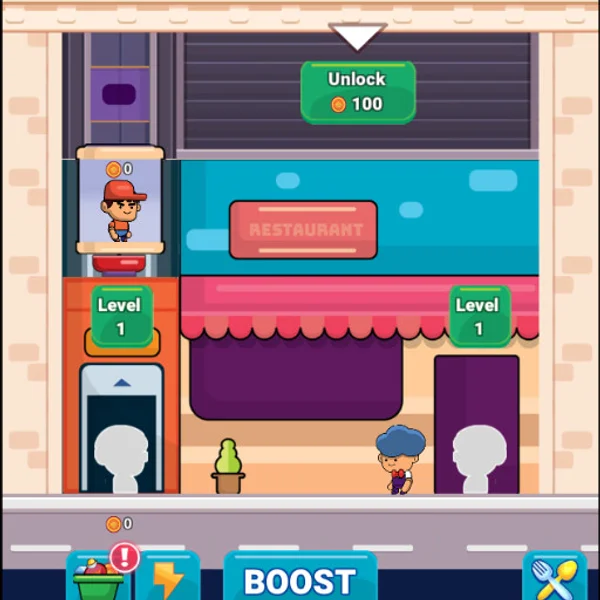
Complex simulation games benefit from WebAssembly performance
For performance-critical games, WebAssembly (Wasm) provides a solution. It is a binary instruction format that runs at near-native speed. Unity can compile to WebAssembly, which is how larger engine-built games reach the browser at all; Unreal dropped its official HTML5 support back in 2019.
Most browser games never need it. WebAssembly earns its place in ports of large existing engines and in anything doing heavy simulation work every frame, not in the average idle or puzzle game.
Play Idle Restaurant Empire Tycoon →
Audio: Web Audio API
Sound in browser games uses the Web Audio API, which provides sophisticated audio processing capabilities. Games can play multiple sounds simultaneously, apply effects like reverb and distortion, and position audio in 3D space for immersive experiences.
The API handles audio decoding, mixing, and output efficiently, ensuring sound effects and music play without latency or stuttering.
Input Handling
Browsers capture keyboard, mouse, touch, and even gamepad input through standardized APIs:
- Keyboard Events: keydown, keyup, and keypress events capture every keystroke
- Mouse Events: Track position, clicks, and movement with precision
- Touch Events: Enable mobile gaming with multi-touch support
- Gamepad API: Connect console controllers for a traditional gaming experience
Asset Loading and Caching

Efficient asset loading ensures quick game startup
Browser games must download their assets—images, sounds, 3D models—before playing. Smart games use progressive loading, starting gameplay while continuing to load assets in the background.
Service Workers and IndexedDB enable offline caching, so returning players do not need to re-download everything. Games like Moto X3M load quickly on a second visit because their assets are already cached locally.
Networking: Real-Time Multiplayer
WebSockets enable real-time communication between browser and server, essential for multiplayer games. Unlike traditional HTTP requests, WebSockets maintain persistent connections with minimal latency.
WebRTC goes further, enabling peer-to-peer connections between players. This reduces server load and latency for competitive multiplayer experiences.
The Game Loop
Every browser game runs a continuous loop:
- Process Input: Read keyboard, mouse, or touch events
- Update State: Move objects, check collisions, run AI
- Render: Draw the current frame to the canvas
- Repeat: Use requestAnimationFrame for smooth 60fps timing
The requestAnimationFrame API synchronizes rendering with the display refresh rate, ensuring smooth animation without wasting resources.
Why Browser Games Matter
Browser gaming removes friction. No app stores, no downloads, no compatibility issues. Share a link and anyone can play instantly on any device with a modern browser.
The technology continues advancing. WebGPU promises even faster graphics. New APIs enable more sophisticated audio and input handling. Browser games are not just convenient—they are becoming genuinely powerful.
Tags
Komentar (0)
Masuk untuk ikut berdiskusi di artikel ini.
Masuk untuk berkomentarBelum ada komentar. Jadilah yang pertama!